The Server We Almost Replaced
A CareTV hardware lesson about exhaustion, serviceability, cash flow, and discovering that the machine we were preparing to replace already contained the storage architecture we needed.
The solution was physically present. We simply could not see it clearly the last time the machine was open.
1. What changed tonight
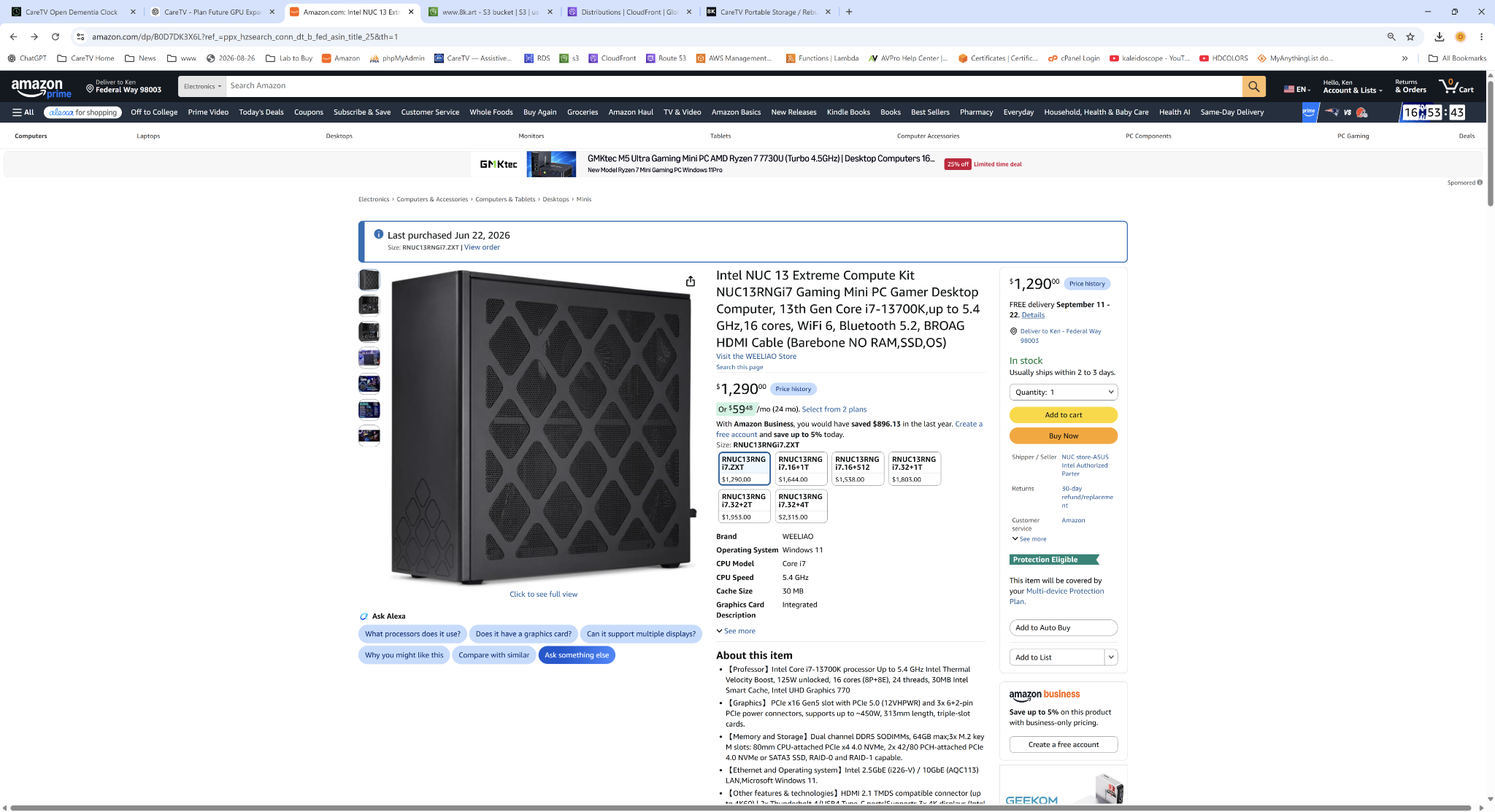
The exact machine was re-identified as the Intel NUC 13 Extreme Compute Kit NUC13RNGi7 with a Core i7-13700K. It already has 64GB DDR5 installed and provides three M.2 Key-M storage positions. Intel specifies one CPU-attached PCIe 4.0 x4 NVMe slot and two PCH-attached PCIe 4.0 x4 slots. One PCH slot can also accept SATA M.2 storage.
That means the 4TB and 8TB WD_BLACK NVMe drives we already planned around are not hypothetical upgrades. They are exactly the kind of storage this machine was designed to use.
Intel references: NUC 13 Extreme technical specifications · NUC 13 Extreme user guide
2. Primary-source video: the machine exactly as it sat tonight
This is the original walkthrough recorded at the moment the problem changed from an apparently failed hardware plan into an actionable recovery. The video is preserved as primary-source documentation rather than reduced to screenshots alone.
OPEN THE ORIGINAL SOURCE VIDEO AT FULL SIZE
Permanent source-video permalink: https://8k.art/beta/_daily-builds/2026-08-27/My-super-tiny-office-file-server-and-live-media-injestor-UNASSEMBLED-to-install-4TB-and-8TB-NVMe.mp4
The filename preserves the original published spelling injestor. Descriptive prose uses ingestor, but the public permalink should not be renamed merely to clean up spelling after publication.
3. The human factor is part of the hardware specification
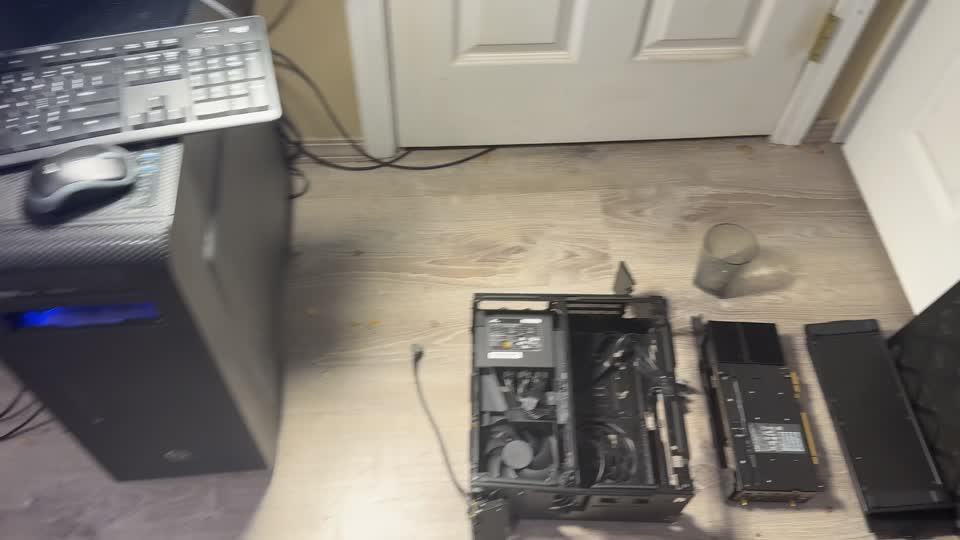
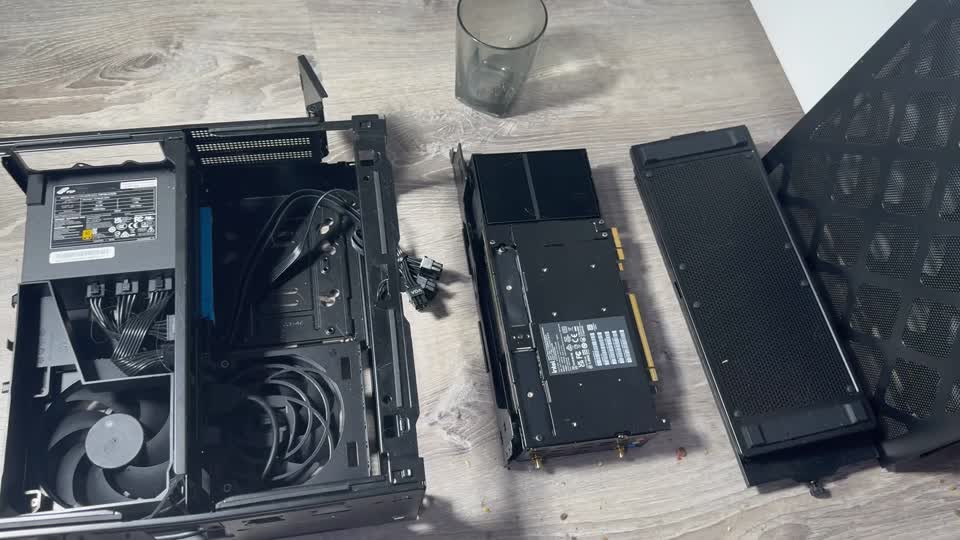
The previous attempt to install storage happened after a long period of technical work, when the machine had become exhausting and emotionally frustrating to disassemble. By the time the inner mechanism was apart, the M.2 locations did not register as obvious targets. The computer then remained open and disassembled for months.
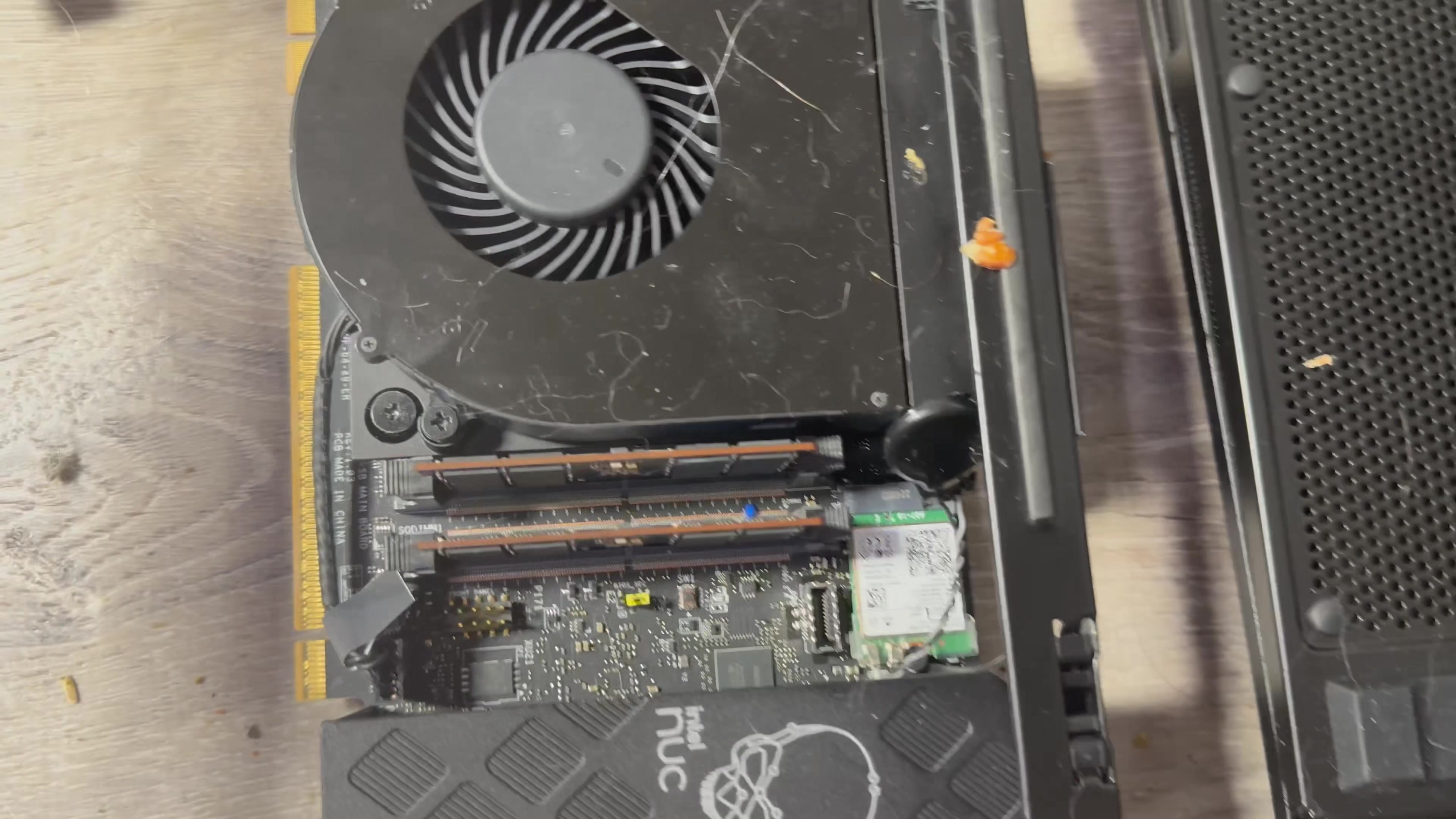
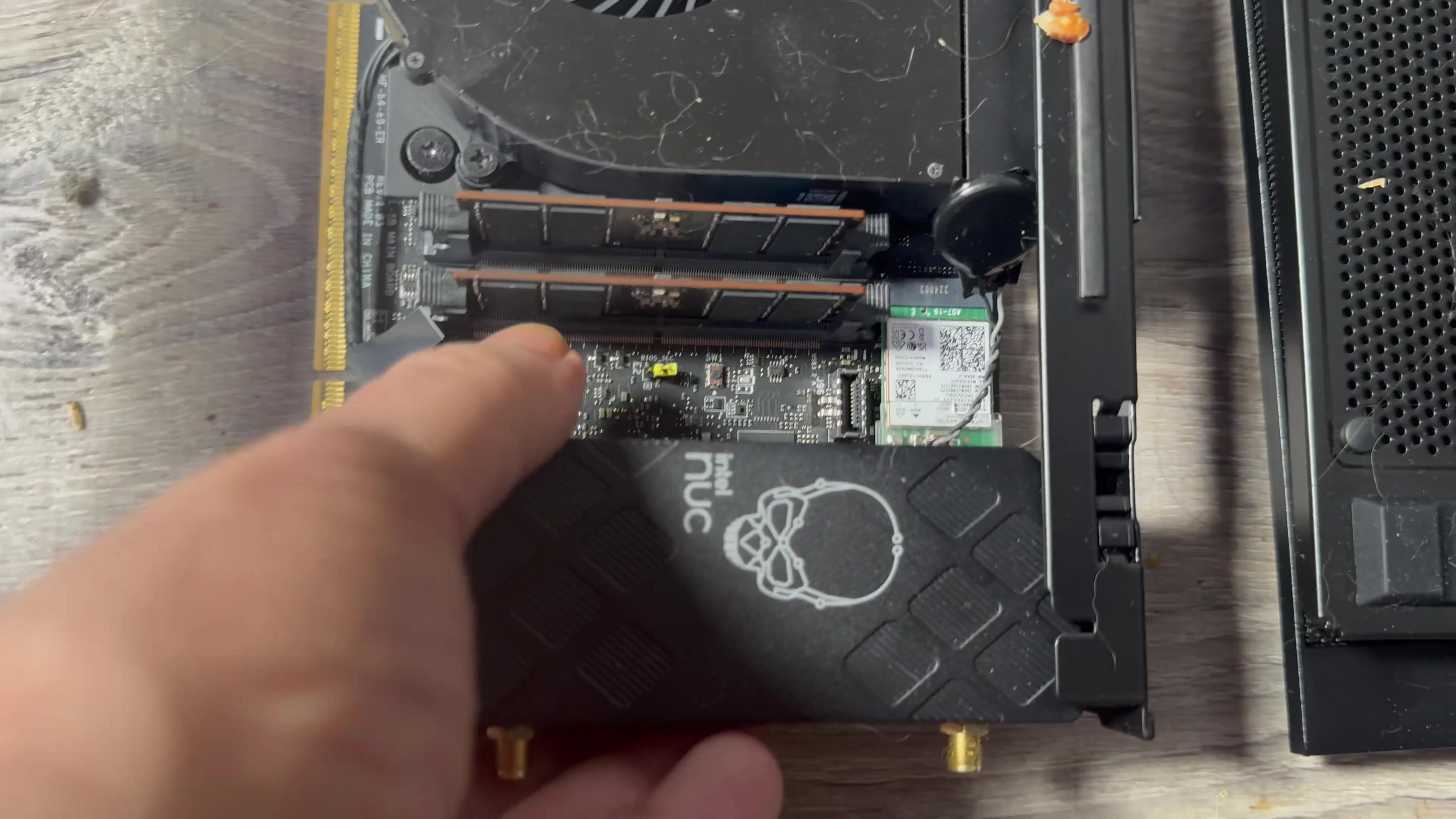
Tonight, after returning to the same hardware with substantially more energy and a calmer working state, the M.2 locations suddenly stood out. The storage area that had been visually lost in the complexity became obvious. Nothing inside the computer had changed; the ability to perceive and solve the problem had.
This matters to the record because we had already started seriously considering another office server. The replacement looked financially rational based on the last known state of this machine. The less expensive solution was already sitting inside the existing NUC, but we did not yet know it because the last inspection had ended at the point of maximum burnout.
CareTV design lesson: if routine service becomes difficult when a person is tired, overloaded, hurried, older, disabled, or simply having a bad day, the equipment is not sufficiently serviceable for our reference design.
This is why future CareTV recommended office hardware must not merely benchmark well. M.2, memory and expansion cards need to be obvious, reachable, documented and replaceable without archaeological disassembly.
4. The visual evidence
These stills were deliberately selected from the new walkthrough because they communicate the physical story, rather than merely decorating the page. Click any image to open the original at maximum browser size.
5. Which M.2 slot is preferred?
All three M.2 positions can provide PCIe Gen4 x4 NVMe performance, but Intel connects them differently. For the highest-performance hot working tier, the CPU-attached Slot 3 is the preferred location because it avoids the chipset/DMI path and therefore avoids sharing that upstream connection with other PCH devices.
Flexible storage position.
Good home for OS/services or another high-speed volume.
Preferred for the 8TB CareTV hot/live-media tier.
Proposed installation: 8TB WD_BLACK in CPU-attached Slot 3 for active 4K/8K media, live-stream ingest, staging and TV-station working sets; 4TB WD_BLACK in a PCH NVMe slot for Windows, CareTV services, indexes, applications and fast general workspace. The remaining M.2 position can stay unused unless there is a strong reason to populate it before final reassembly.
Intel's user guide labels the logical positions as Slot 1 — PCH, Slot 2 — PCH, Slot 3 — CPU. Exact physical orientation should be checked against the Intel diagram while the module is in front of us.
6. What the 8TB drive becomes
The 8TB NVMe is not merely “extra disk.” It becomes a persistent CareTV hot storage / live-media staging tier.
Live in-home 4K streams
Webcams, screen-sharing, camera feeds, show-and-tell recordings and local IP streams can land directly on NVMe with minimal latency.
Persistent when servers are off
Unlike volatile cache, files survive power loss and can remain locally available until permanent storage returns.
Disposable after verification
Once a file has been transferred, hashed and verified on authoritative server storage, the local copy becomes reclaimable.
Future TV playout tier
Upcoming programming, translated segments, graphics, captions and renders can be pre-staged locally before frame-accurate playout.
The application sees a stable CareTV asset identity or URL while the storage service resolves whether the best current physical copy is on local NVMe, the Windows pool, or later the Linux/rack storage fabric.
7. Immediate office role
If reassembly succeeds, this NUC can immediately perform the role for which it was originally purchased:
- temporary office file server for the existing mini-JBOD/DrivePool storage;
- 4TB local OS/services/index tier;
- 8TB ultra-fast live-media ingest and persistent write staging;
- background CareTV indexing, AI naming, hashing and replication;
- local endpoint for the emerging 100Gb fiber fabric;
- later reassignment as a headless compute/media/indexing worker after the garage rack becomes authoritative.
This lets already-purchased hardware create immediate value rather than spending new cash simply because the machine was temporarily inaccessible.
8. The purchase we almost made
Earlier: the tiny NUC appeared functionally unusable because routine NVMe installation had turned into months of unresolved disassembly.
Tonight: we began specifying a new portable office server/workstation—easy NVMe access, enormous RAM potential, 100Gb fiber, RTX 5090 support and additional PCIe expansion.
Then: the exact NUC model was re-identified and Intel's three M.2 architecture was confirmed.
Finally: a fresh video walkthrough showed the M.2 region clearly enough that the path forward became obvious.
We almost bought a replacement server before discovering that the existing server was already capable of doing the immediate job.
That does not cancel the future CareTV reference workstation. It changes its urgency. Cash can remain available while the NUC proves the common-storage architecture and the Linux rack server comes online.
9. What we still want in the future office reference machine
The recovery of this NUC does not make its serviceability acceptable as a standard. It gives us a very specific counterexample from which to write the standard.
Portable, not miniature
One person can safely carry it, but internal components remain obvious and reachable.
RTX 5090-class expansion
Physical, power and cooling support for a flagship GPU without blocking required networking.
Dual-port 100Gb fiber
A dedicated QSFP28 NIC is a hard requirement, not an optional future feature.
Another real expansion path
Preserve room and PCIe resources for video I/O, another accelerator or future networking.
Tons of RAM
Far beyond the NUC's 64GB ceiling; 128GB is the practical starting class with substantial growth room.
Open panel → see M.2
NVMe serviceability must be visually self-evident. No motherboard excavation.
10. The larger CareTV transition
The office no longer needs to accumulate more storage enclosures. Existing mini-JBODs can remain there temporarily. Growth belongs in the garage rack over fiber.
The rack can begin near the clean garage entrance before the entire garage is reorganized. As the garage is cleared, infrastructure can migrate deeper into its permanent location without changing the logical CareTV storage namespace.
11. Exact model identification
12. Tonight's success criterion
Do not optimize the whole lab tonight. Get this machine back to being a computer.
The practical definition of success is modest and powerful: positively identify the M.2 positions, install the intended NVMe drives with the correct fasteners, reassemble carefully, power on, and verify that the firmware sees the storage. Once that works, Windows/file-service configuration can proceed without reopening the chassis.
After that, the machine should be treated as a closed appliance. Routine management happens over the network. The next time internal hardware service is needed should be because there is a compelling reason—not because the architecture requires regular opening.